 CallLedger
CallLedger
CallLedger
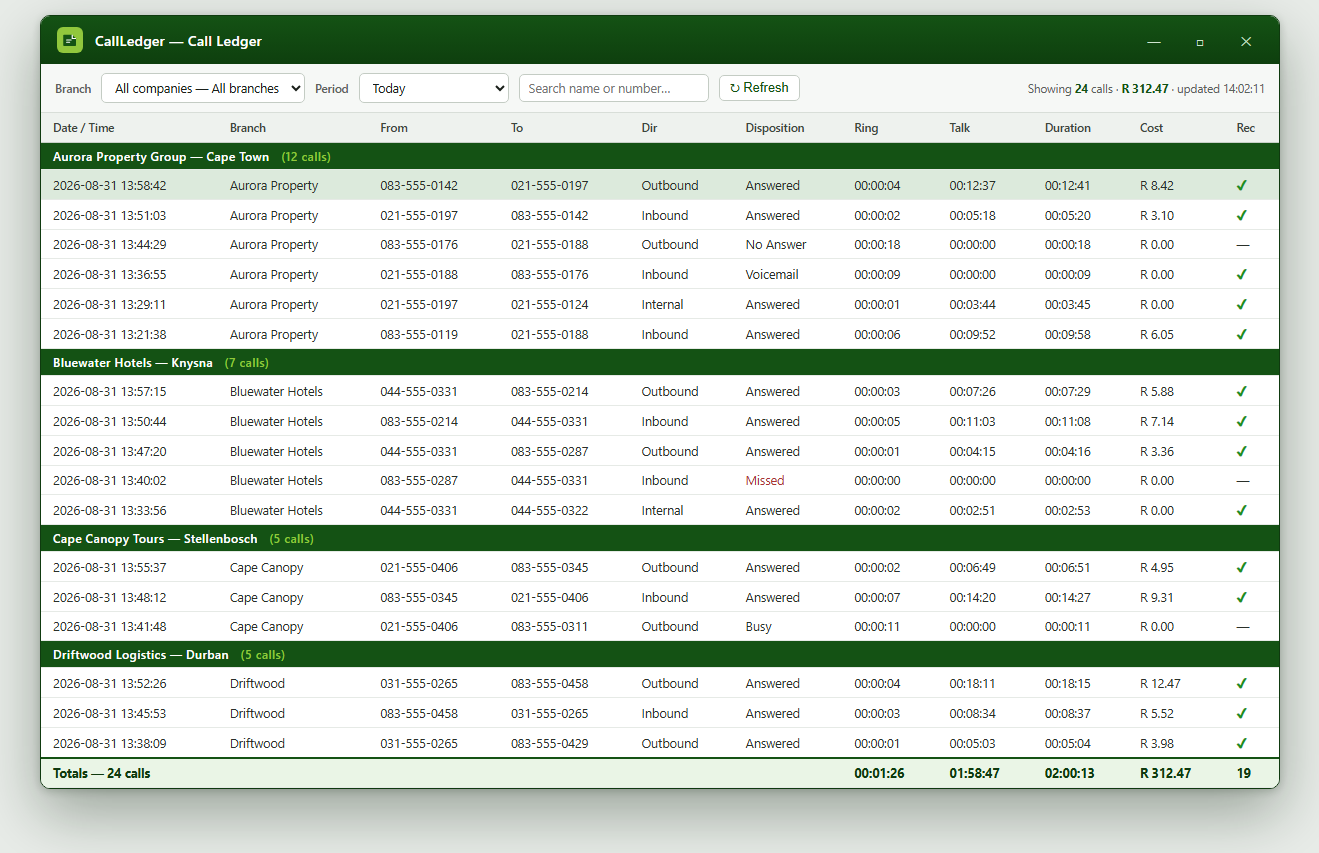
CallLedger turns the call records from every Yeastar PBX you run into one ledger. Cost per department, per branch, per client — charged back where it belongs, reported on your schedule, with the call recordings kept beside the calls they belong to.
Free installer · starts with an empty database · trial included
Ask any public body or multi-site business why they bought call accounting and the answer is the same: to know where the money went and to put it back on the right budget. Everything else is a feature.
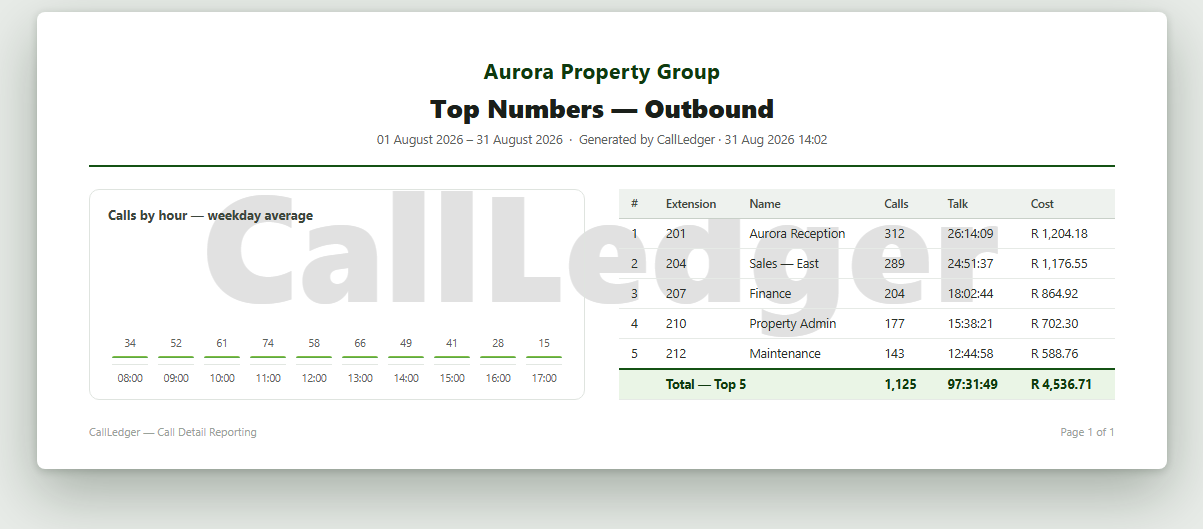
Cost per call, per extension, per department, per site. Charge each one back to the cost centre that caused the spend, and reconcile against the carrier invoice.
Budgets belong to departments, not to the phone system. CallLedger reports the way the budget is actually structured, so the numbers stand up when they are questioned.
Buy rate and sell rate per client, VAT handled. Recalculate the whole book in one pass when a rate changes, and see margin per client.
An appliance in one building and a cloud instance in another report into the same ledger. No separate tool per PBX, no spreadsheet stitching.
Every PBX checked every cycle. A site goes quiet and you know within minutes, not at month end — and you can show that it did.
Reports emailed on your schedule, carrying your organisation's name, to whoever signs them off.
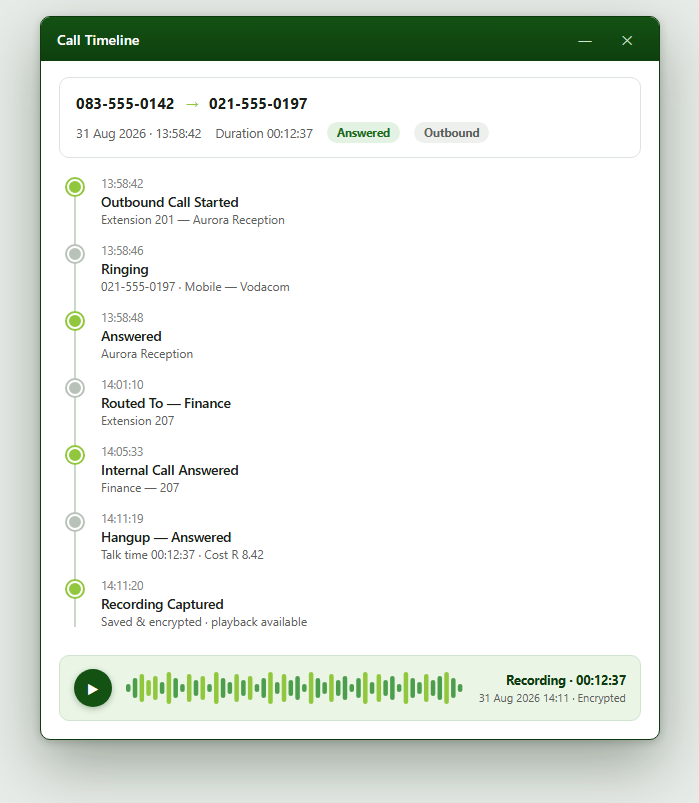
A phone system keeps its recordings on the phone system, one box at a time, until the disk fills. CallLedger brings them into the ledger alongside the call they belong to, across every PBX, and keeps them only as long as your retention policy says.
Many departments, many buildings, one phone bill that has to be split fairly and defended at budget time.
Branches, hotels, clinics and depots. Each site needs its own numbers; head office needs the whole picture.
Run it under your own brand for the customers whose phone systems you already look after. Ask us about territory and sole rights.
Point CallLedger at each PBX once, on-site or in the cloud. From then on it collects by itself. Nothing is installed on your phone system and no setting on it is changed.
Every PBX feeds the same ledger, with the branch, the network and the cost recorded against each call. Recordings are brought in as the calls come through.
Open the ledger, filter to a department or client, run a report, print or export. Recalculate costs when rates change. The whole estate, one view.
| Component | What it covers |
|---|---|
| Setup | Connecting your PBXes, setting up branches, departments and your first reports. One-off, quoted on scope. |
| Monthly | Reporting, recordings, retention, fleet watch, scheduled email reports and portal access — licensed by the number of organisations you manage. |
| Partner / white-label | Run it under your own brand. Talk to us about territory and sole rights. |
Tell us how many PBXes and sites you run, and who has to be charged for the calls. We will show you what the ledger would look like with your own numbers in it.
Email: info@callledger.co.za
Demo: www.callledger.co.za/ledger.html
Download: CallLedger installer